Python Environments with uv
How I manage projects, environments, and Jupyter kernels
I used to run everything Python through conda and later mamba. These days I use uv and have dropped conda entirely. Here I document the setup I ended up with and have used for more than a year now, written down mostly so I can find it again, but maybe it is useful to someone else moving over from a conda-based workflow.
Installing uv
uv is a single binary and installs without a Python interpreter of its own:
curl -LsSf https://astral.sh/uv/install.sh | sh
It also manages Python interpreters, so there is no need to install Python separately.
uv python install 3.13 fetches an interpreter, and requires-python in a project’s pyproject.toml makes uv pick a matching one on its own.
One environment per project
Everything is organized by project directory. Each project has its own environment. A new project gets
uv init
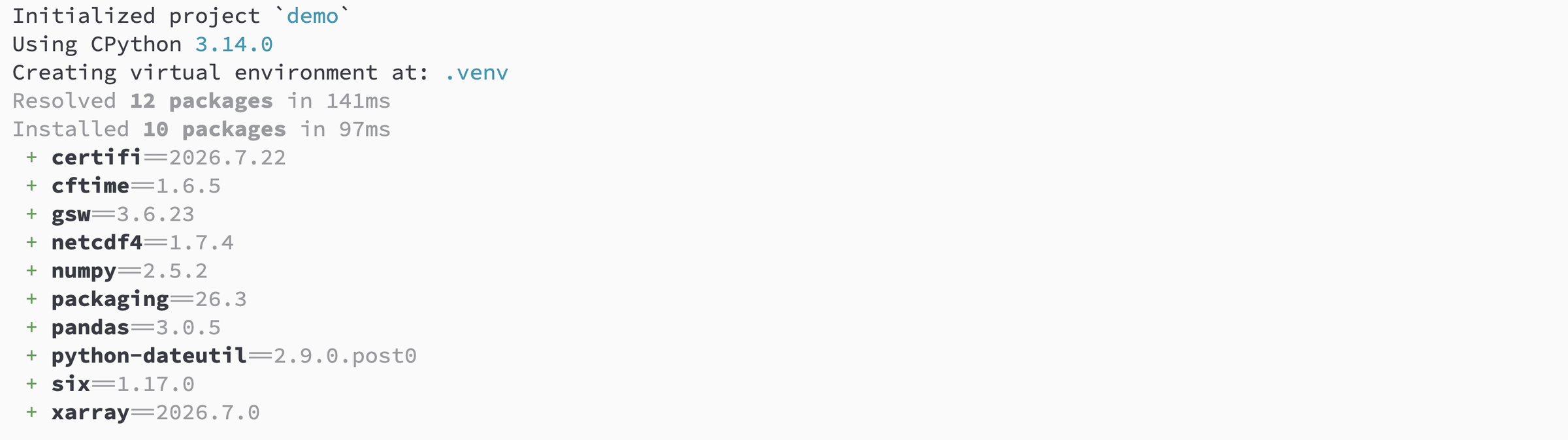
uv add numpy xarray matplotlib
which writes a pyproject.toml, creates a .venv inside the project, and records exact resolved versions in uv.lock.
On another machine, uv sync recreates that environment from the lock file.
This is a feature that wasn’t very practical with conda: an environment.yml with loose version specs resolved differently on my laptop than on the office machine, often months apart, and there was no easy way to exactly define the environment.
Local packages under development are added as editable installs:
uv add --editable $HOME/Projects/python/gvpy
Development-only dependencies go into a group instead of the main dependency list:
uv add --dev pytest ruff ipykernel
I don’t need to activate environments anymore.
uv run pytest or uv run python script.py runs the command in the project’s environment, and uv sync is implicit, so the environment is up to date before the command starts.
Jupyter
This is the piece that took a bit to sort out, since it replaces what nb_conda_kernels used to do for me.
The
uv docs suggest
uv run --with jupyter jupyter lab
which builds a throwaway environment with the project packages plus Jupyter. This works, but it reinstalls Jupyter and my notebook extensions per project and gives no shared configuration.
Instead I install Jupyter once as a uv tool, together with the extensions I want everywhere:
uv tool install --with-requirements $HOME/Projects/python/uv_jupyter_packages.txt jupyter-core
The requirements file holds notebook, jupyter-console, jupyterlab-vim, jupyterlab-code-formatter, jupytext, jupyter-book, ipywidgets, ipdb, and my own
watchmagic and
jupyter-theme-gv as local editable installs.
Editing the file and rerunning the command updates the whole set.
Each project then registers its own kernel pointing at its .venv.
With ipykernel in the project’s dev dependencies:
uv run ipython kernel install --user --env VIRTUAL_ENV $(pwd)/.venv --name=myproject
The --env VIRTUAL_ENV part matters.
Without it, the kernel starts with the right interpreter but the wrong environment for anything that shells out or inspects sys.prefix.
Kernels registered this way show up in every Jupyter session started from the tool install, from any directory, which is the behavior I wanted from nb_conda_kernels in the first place.
List and clean up kernels:
uvx --from jupyter-core jupyter kernelspec list
uvx --from jupyter-core jupyter kernelspec remove myproject
I have a few shell aliases for starting Jupyter so I don’t have to type the uvx --from prefix:
alias jup="uvx --from jupyter-core jupyter notebook"
alias jupl="uvx --from jupyter-core jupyter lab"
Command line tools
Anything I want on $PATH without belonging to a project gets uv tool install, which puts it in its own isolated environment with only its entry points exposed:
uv tool install ruff
uv tool install pdoc
For something I run once and don’t want installed at all, uvx fetches and runs it in a temporary environment:
uvx ruff check .
Scripts
Standalone analysis scripts can list their dependencies inline, using a PEP 723 metadata block. Running
uv add --script plot_moorings.py numpy matplotlib xarray
adds a comment block at the top of the file listing the requirements. Adding the shebang
#!/usr/bin/env -S uv run
and making the file executable means the script builds its own environment on first run and then just works, with no setup instructions to pass along.
New projects
Since most of my research projects share the same layout, I initiate them from a
copier
template that runs uv sync and registers the Jupyter kernel as part of project creation, so a new project is ready to open in Jupyter right after
copier copy gh:gunnarvoet/copier-research-project my_project
Speed!
uv is fast. Rebuilding a project of around thirty packages takes well under a second once they are in uv’s global cache. Worrying about a broken environment is no longer worth the time it takes to rebuild one.