PDF Review Extractor
Extract your PDF annotations with line numbers in one go
I like reviewing papers. I find it enjoyable to sit down with a paper, read it in depth, and try to follow all thoughts and logic. Okay, I admit it, some authors hit the submit button way too early and then reviewing is a little less fun, but thankfully that’s not the norm. I also like editing so I am probably your annoying reviewer 2 pointing out a bunch of typos and minor stuff…
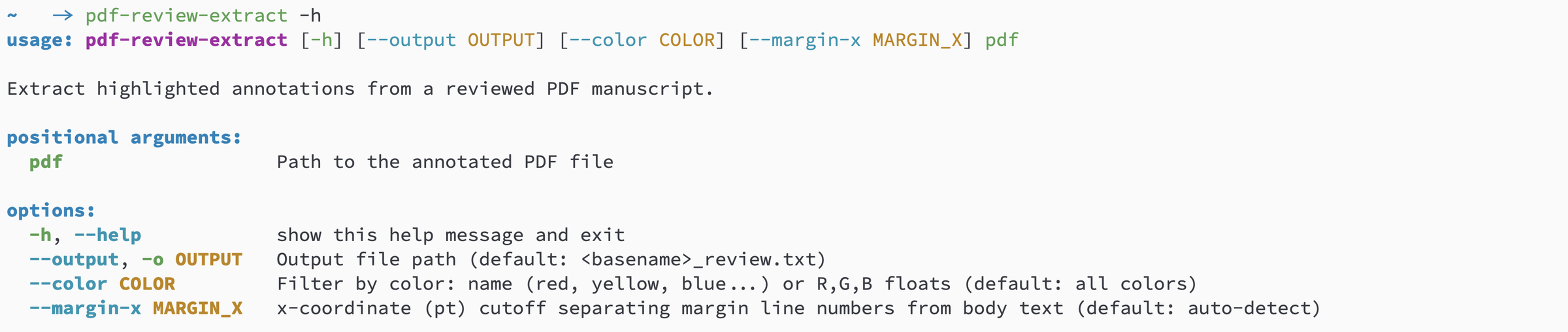
My workflow is to read the paper and leave lots of annotations in the PDF while I read. Any bigger thoughts go directly into a notes file. Ideally, I would read the paper once, let it sit for a bit, then read again and write notes and annotations. However, I’ve learned that I already spend more than half a day on a paper review so I usually drop that initial read. Once done reading, I gather my notes and annotations to write the review, structured into major comments, minor comments, and a list with small comments, typos and such, pointing at specific lines in the manuscript. It used to be a bit of a chore to extract all my comments into a text file with accompanying line numbers. But now I have pdf-review-extractor, a little Python command line tool that does all the extraction for me. A simple
pdf-review-extract --out annotations.txt manuscript.pdf
will generate a text file with all annotations together with line numbers. It saves me a bunch of time and I can focus on the content. Give it a try when you work on your next paper review!